

 208
208
Background
If a household is interested and eligible for services through the Family Coordinated Entry System (FCES), the access point should enroll into FCES. Households will be able to access resources such as housing, shelter, and supportive services once enrolled.
FCES Eligibility
Households are eligible to be enrolled into FCES if they meet the following criteria:
- Family with at least one minor child (ages 0-17), an expectant (pregnant) mother, or in the reunification process with minor child(ren).
- Residing or staying in Orange County.
- Meet either Category 1 Literal Homelessness, Category 2 Imminent Risk of Homelessness, or Category 4 Fleeing DV of HUD's Definition of Homelessness.
Enrolling into FCES
Prior to enrolling a household into FCES, the access point staff should review Searching for a Client Record knowledge base article to avoid creating duplicate client records.
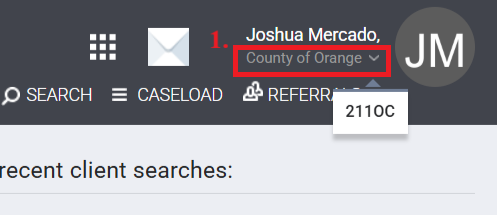
Step 1: Change agency to County of Orange by clicking the down arrow under your name.
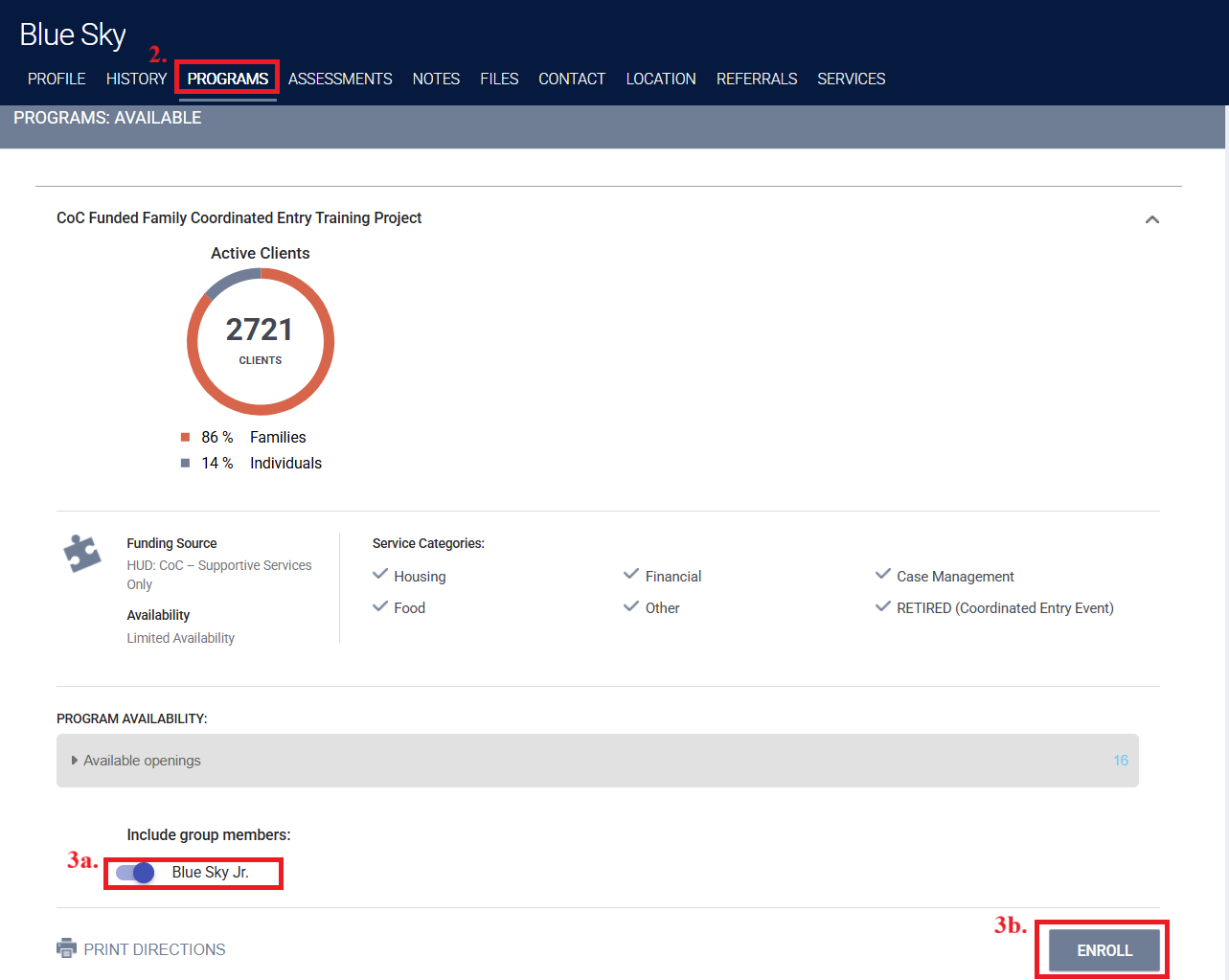
Step 2: Click on the Programs tab and scroll down to Family Coordinated Entry System under Programs: Available.
Step 3: Click the drop-down arrow and toggle next to each household member that should be enrolled into the FCES program (3a), and then click Enroll (3b).
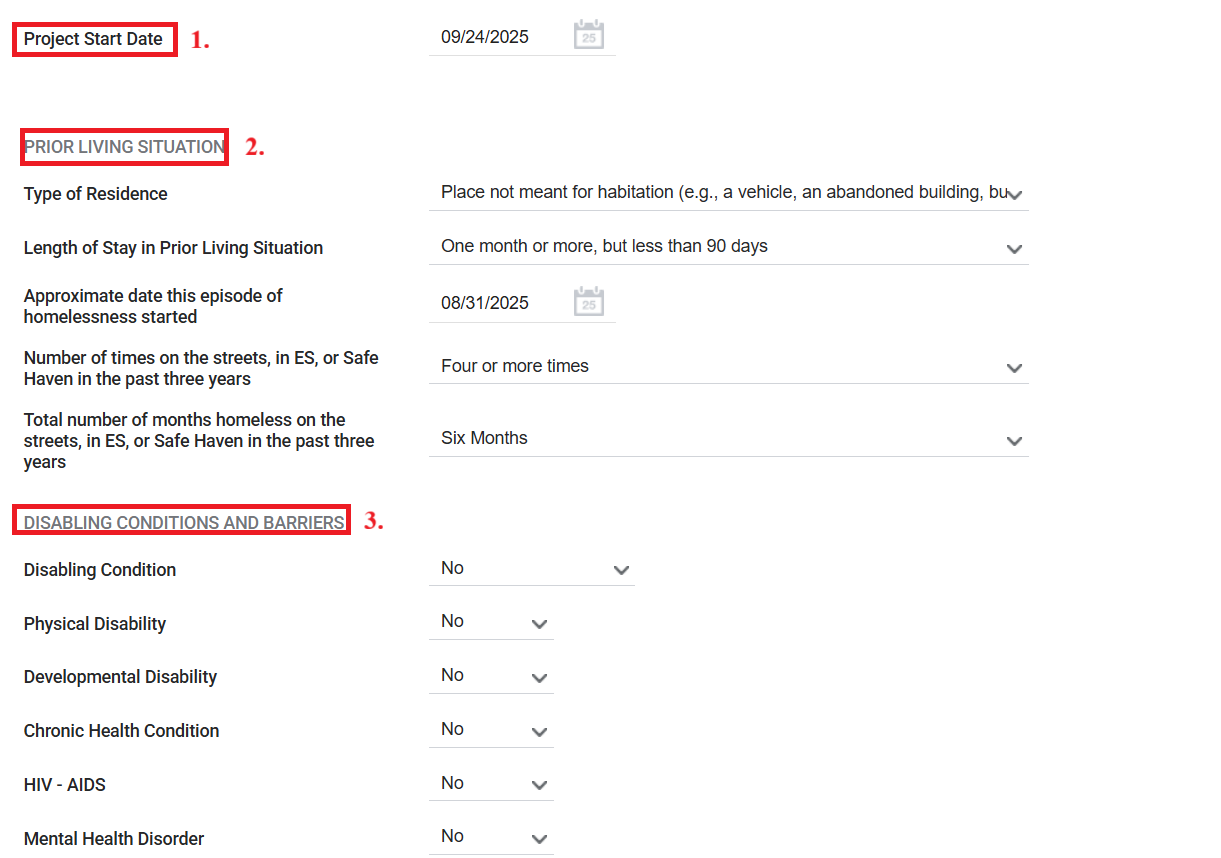
Step 4: The enrollment screen will populate with questions that should be reviewed and answered by the client as accurately as possible. After completing the enrollment questions click Save and Next until you reach the final household member where you will click Save and Close.
- Project Start Date: Is the date household was determined eligible and intake was completed.
- Prior Living Situation: Identify the type of living situation and length of stay immediately prior to project start date.
- Disabling Conditions and Barriers: Should be marked yes if the client self reports a disabling condition(s).
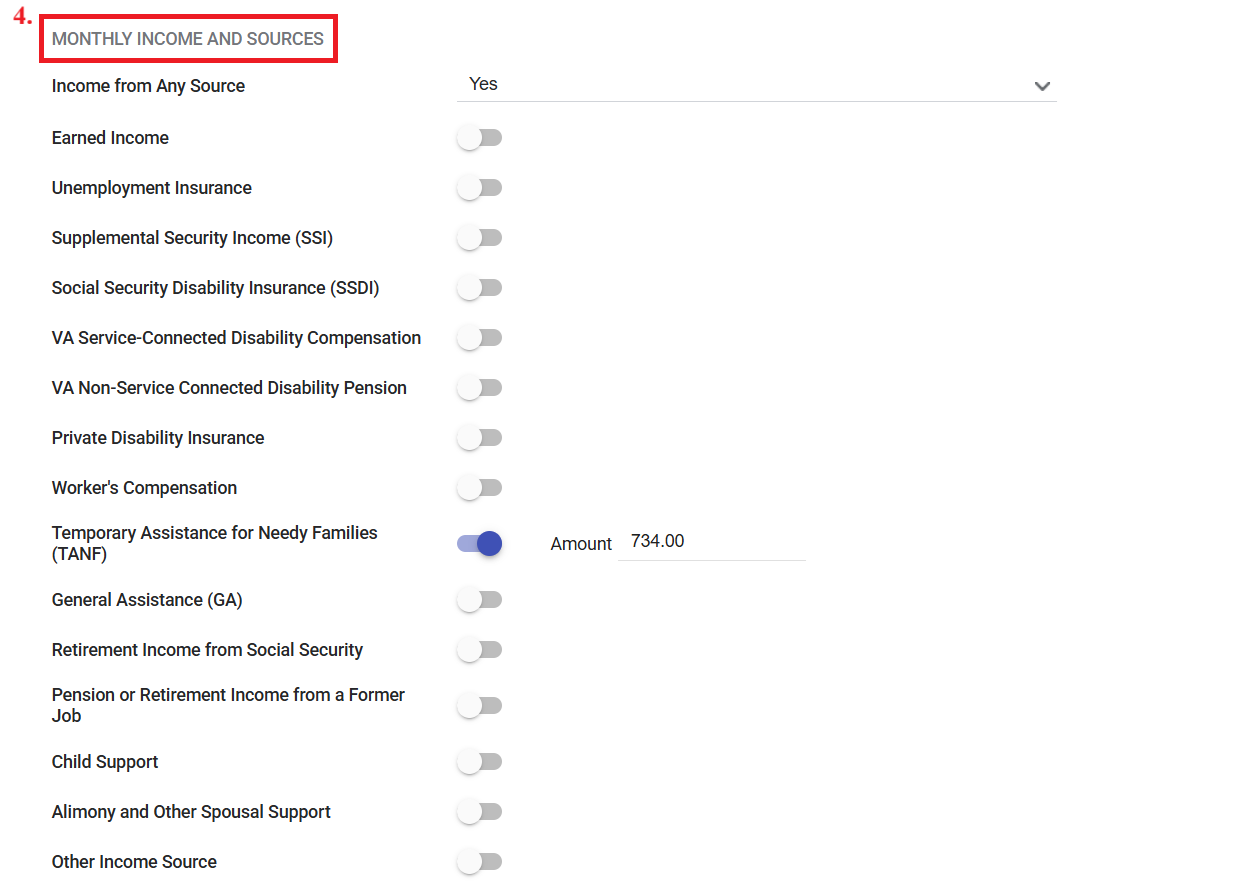
4. Monthly Income Sources: Enter the type of income the household member is currently receiving.
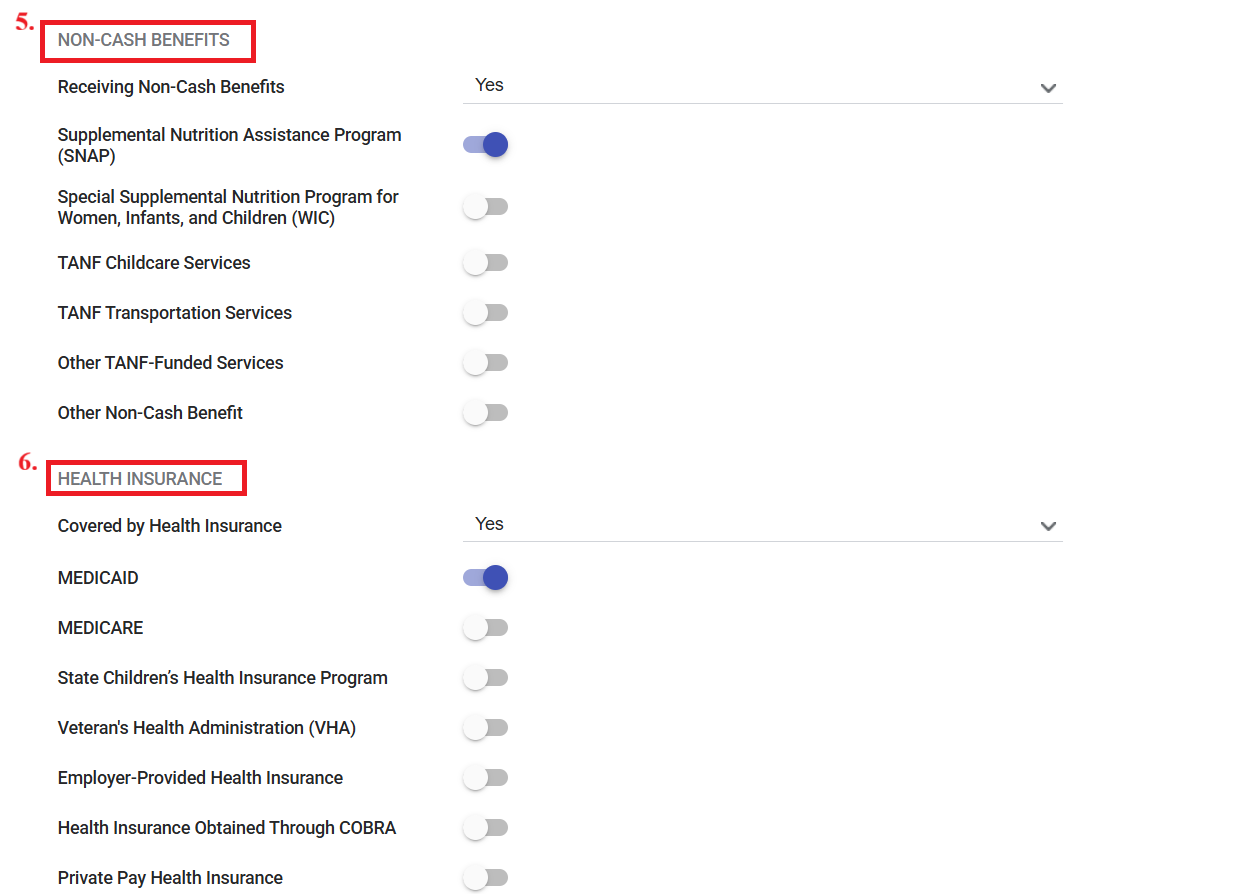
5. Non-Cash Benefits: Enter the non-income related resources.
6. Health Insurance: Enter the type of health insurance the household member has.
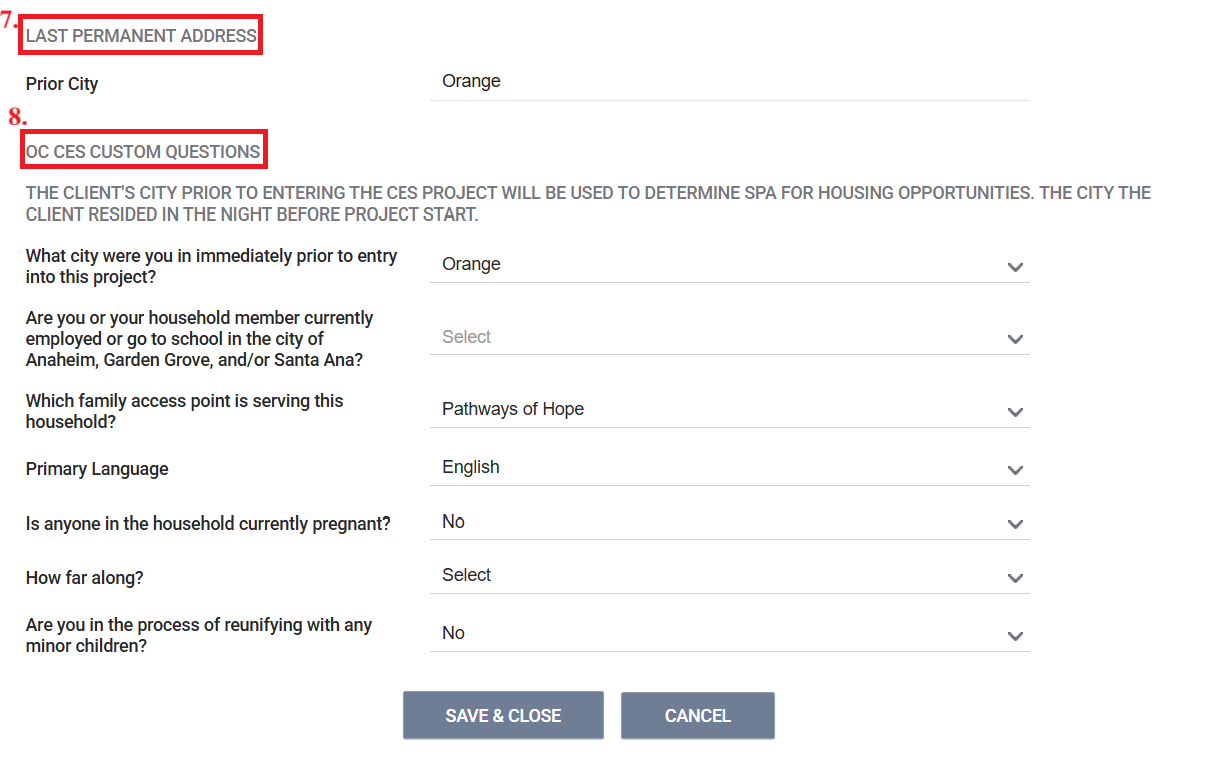
7. Last Permanent Address: Type in the city the client was last permanently housed in.
8. OC Custom Questions: These are required fields and help determine city ties and FCES eligibility.
- What city were you in immediately prior to project entry?: Select the city the client was residing in prior to project entry. This question should be within Orange County, if outside of Orange County the client is not eligible for FCES services.
- Are you or your household member currently employed or go to school in the city of Anaheim, Garden Grove, and/or Santa Ana?: Select all that apply
- Which Family Access Point is serving this household?: Select the name of your Agency
- Is anyone in your household currently pregnant?: Select yes if pregnant
- Are you in the process of reunifying with any minor children?: Select yes if household is in the process of reunifying or plans to reunify with child(ren)